Image fitting
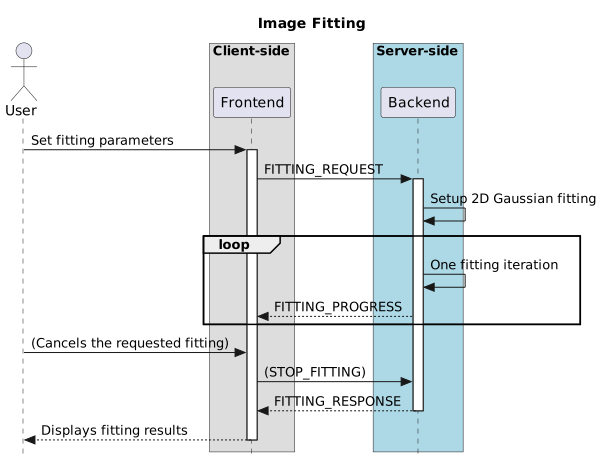
Users can fit multiple 2D Gaussian components to the selected file with the image fitting widget. Frontend sends FITTING_REQUEST with file_id, region_id, initial_values, and other settings. Backend fits the current channel and polarization of the file. For each fitting iteration, backend sends back FITTING_PROGRESS to update the progress. When the fitting is complete, backend responds with FITTING_RESPONSE. When there are newly generated modal and residual images, the new file IDs are incremented from the last opened image.
Users can cancel the requested fitting with the progress widget. Frontend sends STOP_FITTING, and backend sents back FITTING_RESPONSE after the fitting is canceled.
The sequence diagram is shown below: